General
Eliminating handwritten sign out logs condo managers rely on: compare digital lock box options, liability risks and costs. Book a LockboxRack demo today.
What Is Eliminating Handwritten Sign Out Logs Condo?
Eliminating Handwritten Sign Out Logs Condo is the switch from a paper key sign-out sheet at the front desk to a digital access log that records every key pickup against a named agent. In a condo building, a managed lock box rack replaces loose boxes and the clipboard, so the property manager keeps one time-stamped record of who opened which slot and when.
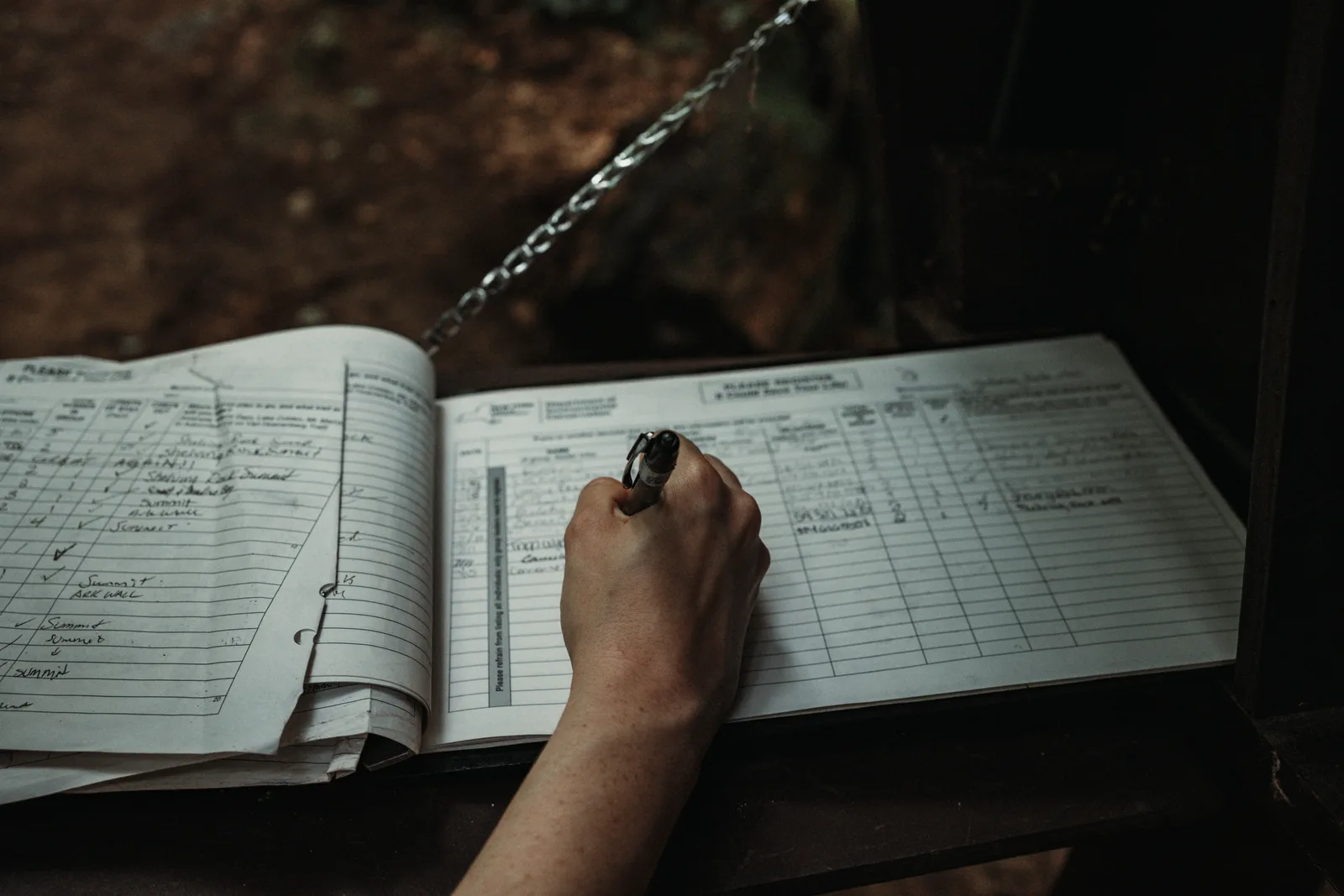
The clipboard at reception is the thing being retired. It asks a visitor to write a name, a unit, and a time by hand. Nobody verifies any of it, and the sheet is only as honest as the person holding the pen.
A digital record fixes that weak link. The practical goal, eliminating handwritten sign out logs condo managers once kept on a clipboard, is less about new hardware and more about a record you can actually trust. The rack ties each key to a reservation and a real name.
Two groups feel the change first. Property managers gain a log they can defend to a board. Agents get a predictable way to collect a key without waiting on a busy concierge. For the hardware itself, our rack lockbox explained guide covers the parts.
How does a logged lock box system work?
An agent reserves a numbered slot online for the length of a listing. On arrival, they authenticate at the rack, usually by scanning a QR code that opens a secure web page, and the software records the open against their name. There is no app to install. When the listing ends, the slot releases for the next agent, and the log keeps the full history. We checked Supra’s official site on 20 October 2026 and it lists roughly 1 million agents using its eKey app, which shows how much showing access already runs through logged systems rather than paper.
From paper sign-out sheet to digital record
The paper sheet and the digital log answer the same question: who took a key. Only one answers it reliably. A clipboard entry cannot be verified, cannot be searched, and goes missing with the page. A digital record is tied to a reservation, searchable in seconds, and stored off the front desk. Updated for October 2026, most buildings our team works with have already retired the handwritten sheet because a board cannot act on a record it does not trust.
There is a quieter shift hiding in the hardware too. A clipboard tells every agent that access is casual, so keys get borrowed and sheets get skipped. A rack that logs each open sets a different expectation from the first scan. Agents treat a named record more carefully than an anonymous page, and that change in behaviour is often worth as much as the record itself.
Why a Paper Key Log Is a Condo Liability Problem
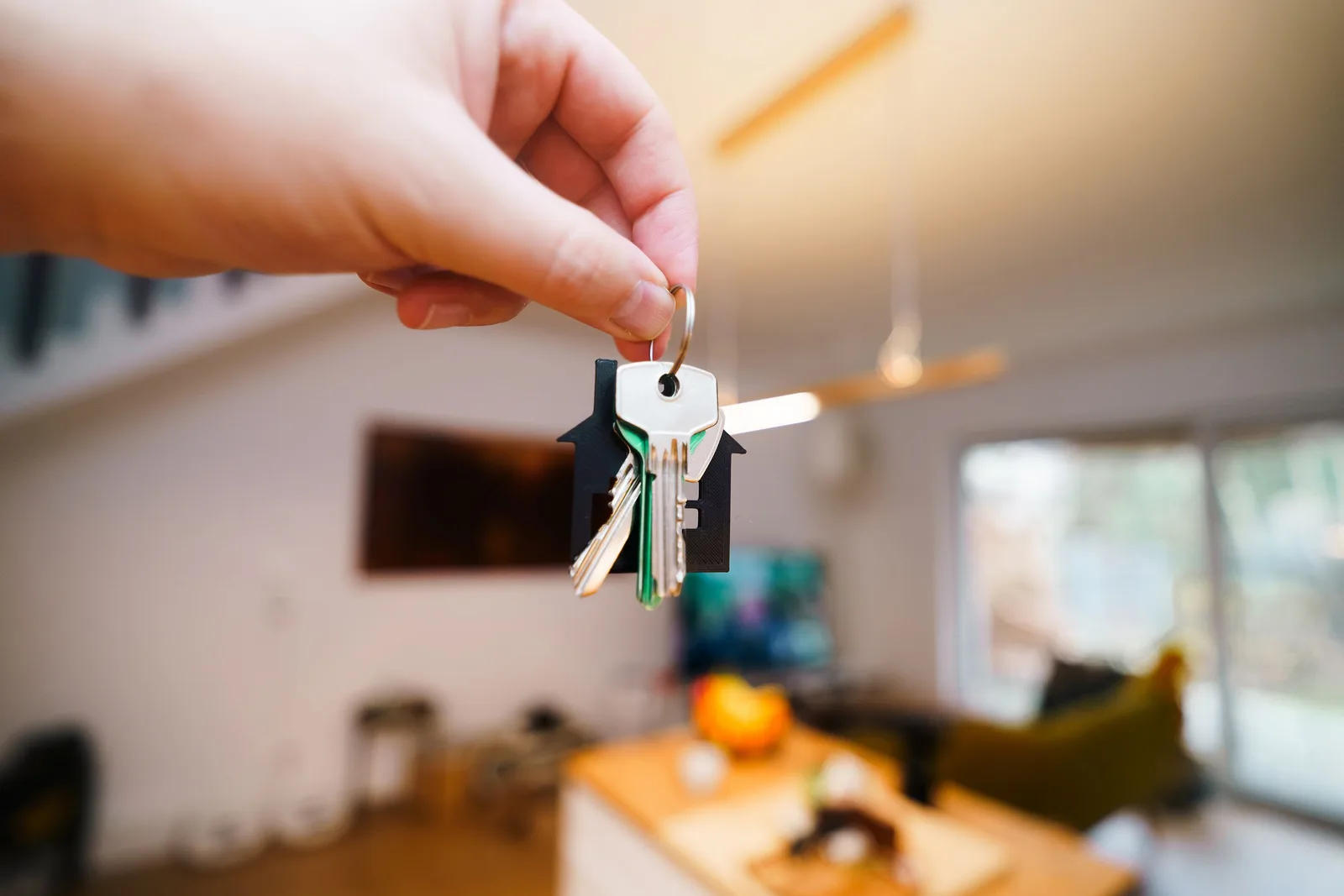
A handwritten key log is a liability problem because it cannot prove who entered a resident’s home. When a key goes missing or a unit is entered off-schedule, an unverified clipboard offers no defensible answer. A digital access log names the agent, the slot, and the minute, which turns a worried board conversation into a question of evidence.
Showing homes is often solo work, and that raises the stakes on access records. We checked the National Association of Realtors 2024 Member Safety Residential Report on 20 October 2026 and it reports that 86 percent of residential members had shown a property alone that year. According to the National Association of Realtors (2024), 34 percent of residential members also felt unsafe while showing a property.
Those figures explain why condo boards ask hard questions before they sign off. A missing key raises a blunt one: who can now enter a resident’s home? A log that names every entry answers it, and that answer is usually what unlocks a board’s approval.
Who is liable for lock boxes in condo buildings?
The question of who is liable for lock boxes in condo buildings rarely has a clean answer with loose keys. Liability tends to land wherever the record is thinnest, and a clipboard is the thinnest record of all. This is the heart of the property manager liability lock box question: the manager carries the risk for access they cannot prove they controlled. A logged rack moves that proof from memory to a time-stamped record, which is what tracking who has access to condo building entry points and private suites really means in practice.
The privacy problem with a handwritten tag
Paper creates a second exposure most boards overlook. A loose box on a lobby rail is a real lock box security risk condo boards now take seriously, because anyone can photograph the rail. A related concern is the suite number on lock box privacy risk, where a handwritten tag pairs a unit number with a key in plain view. A managed rack hides the pairing behind the log, so the slot number means nothing to a passer-by.
Agent safety and the access record
Accountability is the quiet benefit of a named log. When every open is tied to a person, disputes get short and behaviour tightens. If a resident reports an off-schedule entry, the record names the slot, the agent, and the time. That protects the honest agent as much as it protects the building.
Explore RackVault‘s audit log and give your board the access record these liability questions demand.
Digital Options That Replace the Paper Sign-Out Sheet

The options that replace a paper sign-out sheet fall into three groups: MLS-issued electronic boxes from SentriLock and Supra, standalone smart boxes from Master Lock and igloohome, and managed building racks such as RackLite and RackVault. Every option logs access electronically. The difference is whether one building gets a single shared record across every listing at once.
Choosing comes down to how many keys you manage and who needs to read the record. A solo listing has different needs than a 300-unit tower.
| Option | Type | Access method | Logs access? | Best for |
|---|---|---|---|---|
| SentriLock | MLS electronic box | Card or app | Yes, per box | Board-wide agent programs |
| Supra | MLS electronic box | eKey app | Yes, per box | Established MLS markets |
| Master Lock | Standalone smart box | App or code | Per box | Single listings |
| igloohome | Standalone smart box | App or PIN | Per box | Owners and small teams |
| RackLite / RackVault | Managed building rack | QR scan plus central log | Yes, building-wide | Condo and apartment buildings |
SentriLock and Supra: the MLS boxes
SentriLock and Supra are the boxes most agents already carry, issued through real estate boards and tied to MLS credentials. Each logs its own opens, which is a real step up from paper. What they do not do is give one building a single shared log across every listing at once.
“We are honored to have the trust of the industry and to be expanding our market share across Florida.”
Scott Fisher, CEO and Founder, SentriLock
Supra, now a Honeywell brand, has paired scheduling with its eKey access.
“We are excited to now offer customers an integrated solution for scheduling and lockbox access.”
J. Lush, Vice President of Sales, Supra
Master Lock and igloohome: standalone smart boxes
Master Lock, which integrates with ShowingTime, and igloohome build capable single-key boxes with app or PIN access. They suit an owner, a small team, or a one-off listing. In a multi-listing building, though, you end up with a rail of separate boxes and no unified record, which is the exact gap a rack closes.
None of this makes the standalone boxes a poor choice. They are the right tool for one key, one listing, one agent. The mismatch shows up only when a building runs twenty of them as if they were a single system.
Managed racks: RackLite and RackVault
A managed rack is the building-scale answer. RackLite is the lighter-duty rack for smaller buildings, while RackVault is the heavier, higher-capacity unit. Both put every key in one controlled spot and hand the property manager a single log. See the full lineup on the LockboxRack products page.
Capacity is the practical dividing line. A boutique building with a few active listings rarely fills a large unit, while a downtown tower can run dozens of slots at once. Size the rack to peak listing volume, not today’s count, and you avoid buying a second unit next year.
Expert Tips and Common Mistakes
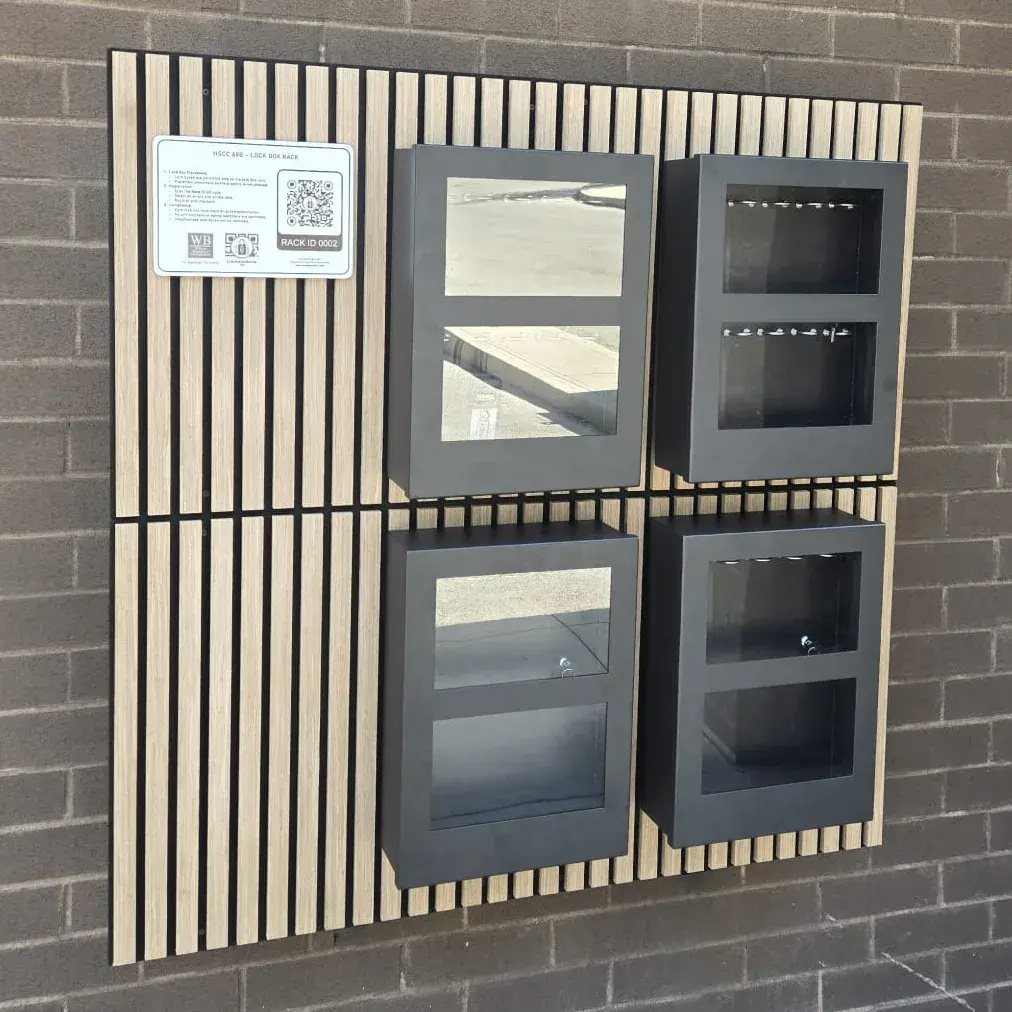
The biggest mistake buildings make when retiring a paper sign-out sheet is keeping the clipboard beside the new rack as a backup. A split record is no record. The second mistake is installing hardware with no written access rules. Get the single log and the rules right first, and the rest follows.
Common mistakes buildings make with key logs
Most key problems trace back to a few avoidable habits. They cost staff time, create liability, and leave money unclaimed.
- Running a clipboard and a digital log at once, so neither is complete.
- Buying standalone boxes for a building that needs one shared rack.
- Skipping written access rules, then arguing every dispute case by case.
- Never reading the access log, so the record sits unused.
- Ignoring the slot-rental revenue a managed rack can return to the building.
What to ask a lock box rack supplier
Vet the vendor before the hardware. A serious supplier should show you a live access log, name the location it ships from, and explain how slots are billed. LockboxRack builds and ships RackLite and RackVault from its head office and warehouse in Hamilton, Ontario. Our team walks boards through the log and the access rules before a single rack is mounted, because that is where the value lives. Ask for a reference building too, and a supplier who has installed before can hand you a property manager to call. The conduct standards published by the Real Estate Council of Ontario give a building an easy template for those rules. For a wider view of what works, our guide to property management lockbox systems compares the field.
Discover RackLite for smaller buildings if you want the lighter-duty rack without over-buying.
How to Run a Logged Lock Box System Well
Running a logged lock box system well is mostly about discipline, not hardware. Make the rack the single way a key leaves the building, tie every slot to a named agent, publish clear rules, and read the access log on a schedule. Eliminating handwritten sign out logs condo-wide works only when nobody can quietly fall back to the clipboard.
Set the reservation and access flow
Start with how agents get in. Set up the reservation flow so an agent books a slot online, then scans to claim it on arrival. Publish the access rules where the booking happens, so nobody can claim they did not know them.
- Place the rack in one controlled, staffed lobby spot.
- Remove the paper clipboard entirely on day one.
- Turn on QR registration so every slot ties to a real name.
- Publish your access rules where agents book a slot.
- Review the access log weekly with your concierge.
How do you audit a digital access log?
Auditing a digital log takes about five minutes a week. Open the record, sort by date, and scan for an expired reservation or an odd after-hours open. Flag anything that does not match a booked showing, and ask the agent named on the slot. Because every open carries a name and a time, a question that once meant interrogating a whole building now means one short message. Assign that weekly review to one named person so it never falls through the cracks, and the log stays something you can stand behind at a board meeting. See how LockboxRack works for property managers for a fuller walkthrough of the flow.
Measure the payoff after 30 days
Give the change a month, then look at two numbers. Count the concierge key interruptions you removed, and total the slot-rental income you booked. Buildings that read those two figures together rarely return to loose keys and a clipboard. Eliminating handwritten sign out logs condo staff once managed by hand frees those hours for work residents actually notice, and the log quietly keeps proving its worth every time a board asks who had access.
What It Costs and What to Expect
Retiring a paper key log changes the cost model, not just the security story. A clipboard costs the building in staff time and earns nothing. A slot-rental rack flips that: the realtor pays per listing for a numbered slot, and the building earns from lobby space that was idle before. Exact pricing is set per building, so treat any single figure you read online with care.
As of October 2026, the three models below describe how buildings usually pay for access. The point is not a price tag. It is who pays, and whether the building sees any return.
| Model | Who pays | Keeps a log? | Return to the building |
|---|---|---|---|
| Handwritten clipboard | The building, in staff time | No, unverified paper | None |
| MLS electronic boxes | Agents and board dues | Yes, per box | None to the building |
| Managed slot-rental rack | The realtor, per listing | Yes, building-wide | Yes, per rented slot |
The slot-rental revenue model
The model is simple to explain to a board. The building installs a rack, agents rent numbered slots for the length of a listing, and the software tracks and bills each rental. According to Supra (Honeywell), accessed October 2026, roughly 1 million real estate agents use its eKey app and it manages about 3.6 million electronic lockboxes, which shows how much listing access already flows through managed key systems. A building rack captures a slice of that access as revenue instead of overhead.
What should a building budget and expect?
Budget for the rack, the install in a controlled spot, and the software that runs the log and billing. Expect fewer key interruptions at the front desk and a new line of slot-rental income, not an overnight windfall. Because pricing depends on rack size and building needs, the honest answer on cost is to get a quote. Our guide to LockboxRack pricing explains the variables without inventing a number, and our walkthrough of how to get a realtor lock box right covers the setup.
Set expectations with the board in plain terms. The rack pays back in two currencies: staff hours the concierge stops spending on keys, and slot income from listings that used to cost the building nothing. Neither number is dramatic on its own. Together, over a year, they turn a security upgrade into a line item that funds itself.
If loose keys and a front-desk clipboard sound familiar, a logged rack is the fix. Get Started by booking a LockboxRack demo to see the slot-rental numbers for your own building, or Find your nearest rack location to check coverage first.
Frequently asked questions
What does it mean to eliminate handwritten sign-out logs in a condo?
Why do condo buildings still use paper key logs?
Who is liable for lock boxes in condo buildings?
Is a handwritten sign-out sheet a security risk?
Do agents need an app to use a logged lock box rack?
What is the difference between SentriLock, Supra and a managed rack?
Can a condo building charge realtors for lock box access?
What access rules should a condo board set for lock boxes?
Who supplies lock box racks in Canada?
How much does a logged lock box rack cost?
Ready to get started with LockboxRack?
The organized, auditable alternative to lock boxes zip-tied to fences, pipes and fire exits: one fixed rack, numbered slots, online reservations and a paper trail, so buildings stop absorbing realtor access as an unpaid, unmanaged burden.
1.What Is Eliminating Handwritten Sign Out Logs Condo?2.Why a Paper Key Log Is a Condo Liability Problem3.Digital Options That Replace the Paper Sign-Out Sheet4.Expert Tips and Common Mistakes5.How to Run a Logged Lock Box System Well6.What It Costs and What to Expect7.Frequently asked questions